
Some platforms say they’re customisable. What they really mean is, “You can change the logo and pick a theme color.”
AQX Trader takes a very different approach.
From how it looks to how it runs, AQX Trader was built for brokers who want actual control and not surface-level branding, but real decisions about how their platform behaves, how their traders engage, and how their business scales.
There are two main fronts: visual identity and platform functionality. Both matter more than most vendors care to admit.
Visual Identity That Reinforces Brand
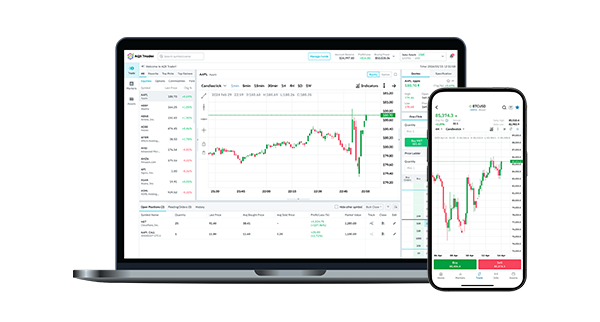
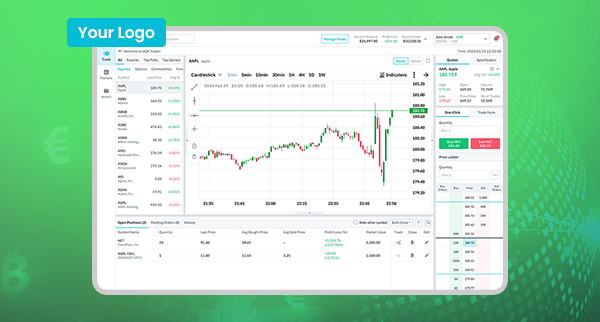 Let’s start with what traders see first. AQX Trader gives brokerages full control over the visual experience—your logo, your brand colours, your language settings. Everything from the login screen to the trading terminal reflects your identity, not someone else’s white-label template.
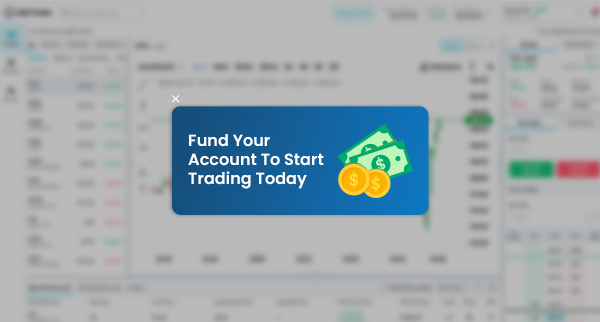 But it goes further than just static branding. Brokers can engage users with real-time banners, pop-ups, and platform announcements—all fully designed and managed from the broker portal. Whether you're promoting a funding bonus, highlighting a trading competition, or announcing an upcoming feature, these custom communication tools give you a direct, in-platform channel to speak to your traders without relying on third-party plugins.
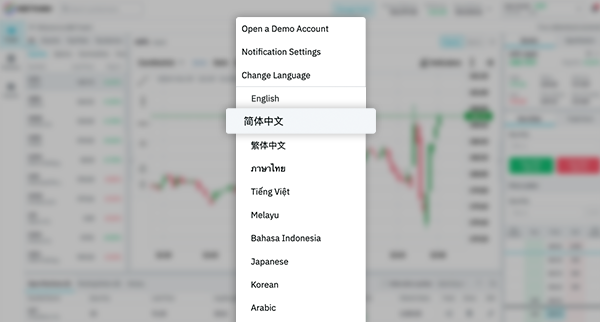 Even language is configurable, with AQX Trader supporting 10 options—including Arabic with proper RTL formatting. Combined with flexible visual styling, these localisation tools help brokers strengthen trader trust across regions and reinforce brand presence at every click.
Under the Hood, It’s Yours to Configure
Where AQX Trader really sets itself apart is what happens behind the scenes. The ‘Trading Platform’ pillar acts as the control room, allowing brokers to shape the way the platform works, not just the aesthetics.
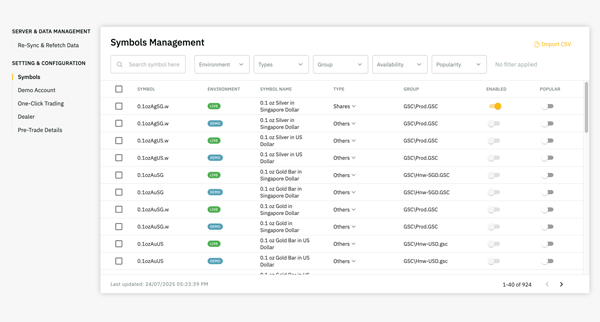 You get to decide which instruments show up, and where. Forex, indices, cryptocurrencies, commodities—categorise them, organise them, highlight popular pairs. You can separate live from demo environments, create custom symbol lists, and predefine what new users see when they first log in.
 And that’s just the start.
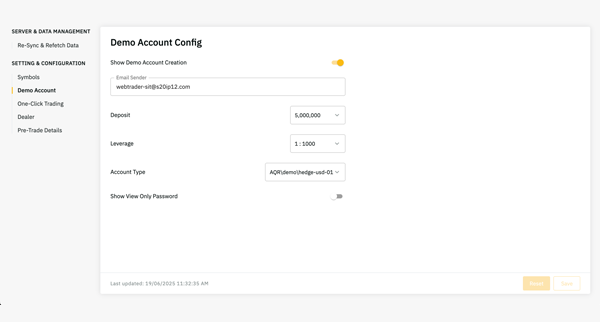
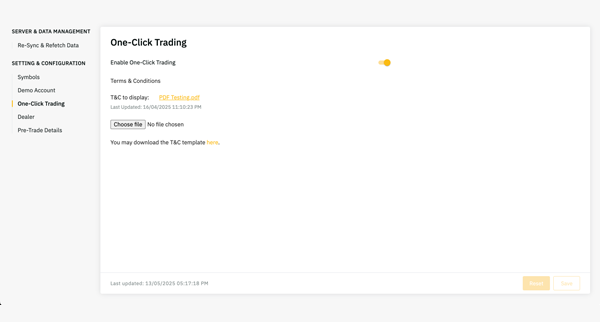 Want to set specific leverage or capital presets for demo accounts? Done. Want to offer one-click trading? Toggle it on or off. The platform is designed to support different business models—whether you're targeting retail clients, high-frequency traders, or something in between.
 Controlled freedom just clicks away.
It’s Not Just What You Can Do. It’s How Easily You Can Do It
AQX Trader doesn’t require a developer every time you want to make a change. Most of these controls live in the broker-facing CMS, so you’re not waiting days for tweaks that should take minutes.
It’s also flexible enough to support iterative changes. You can test one version of your interface, gather feedback, and make targeted adjustments. That kind of adaptability matters when you’re trying to stay competitive in fast-moving markets or when you’re serving multiple regions under one umbrella.
Some Platforms Expect You to Work Around Their System. AQX Works Around Yours.
That’s the difference.
AQX Trader isn’t trying to push brokers into predefined molds. It’s not saying, “Here’s the way it’s always been done.” Instead, it hands you the keys and says, “Make it work the way you need it to.”
Because not every broker runs the same playbook. Some want to move fast in Southeast Asia. Others want compliance-heavy setups in the EU. Some care deeply about visual storytelling; others care about toggle-by-toggle platform control.
AQX Trader supports all of that without making you jump through hoops.
Final Thought
You’ve invested in your brand, your market, and your broker-trader relationships. Your platform should reflect that.
With AQX Trader, you're not boxed into someone else's vision of how a trading experience should look or behave. You’re free to create your own—right down to the settings that actually move the needle.
Want to see how it all comes together? Let’s walk through what AQX Trader looks like with your name on it.