
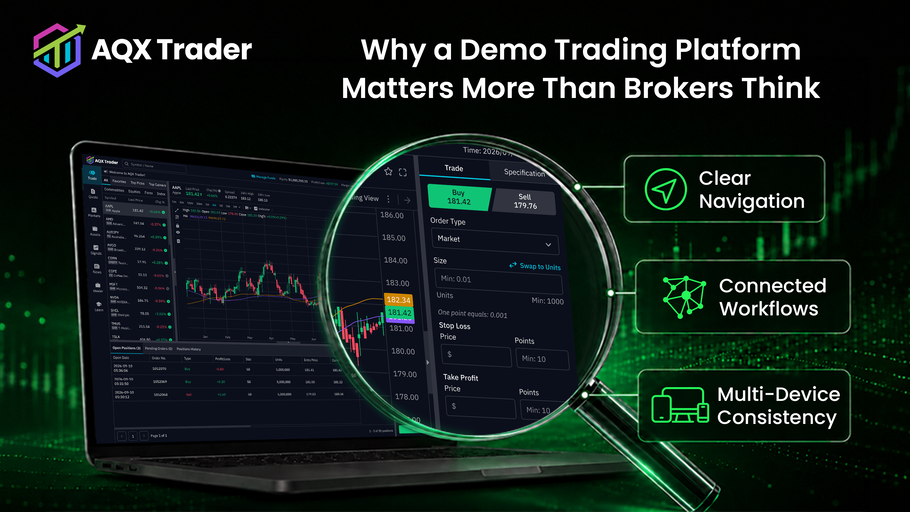
A broker evaluating a white-label trading platform usually starts the same way. Someone on the team visits the provider's website, reads the feature pages, notes the integrations and the infrastructure claims, and concludes that everything looks suitable on paper.
Then they open the demo, and the evaluation actually begins. Can users find the instruments they need? Do the order workflows feel natural, or do they take three clicks longer than they should? Does the mobile app feel like the same product as the web platform, or a distant cousin? Can the broker picture its own logo, colours and communications inside the interface?
Weeks of shortlisting can come undone in the first ten minutes of a bad demo. That is why a demo trading platform is not just a preview of what a provider sells. It is the first opportunity for a broker to decide whether the product feels credible enough to evaluate further.
A demo trading platform matters because it gives brokers a practical way to evaluate the user experience, core workflows, brand fit and overall maturity of a platform before making a larger commitment. A strong demo builds confidence and gives every stakeholder something concrete to assess. A weak or overly restricted one slows the sales process and plants doubt before commercial discussions have properly started.
A Demo Trading Platform Is the First Real Proof of the Product
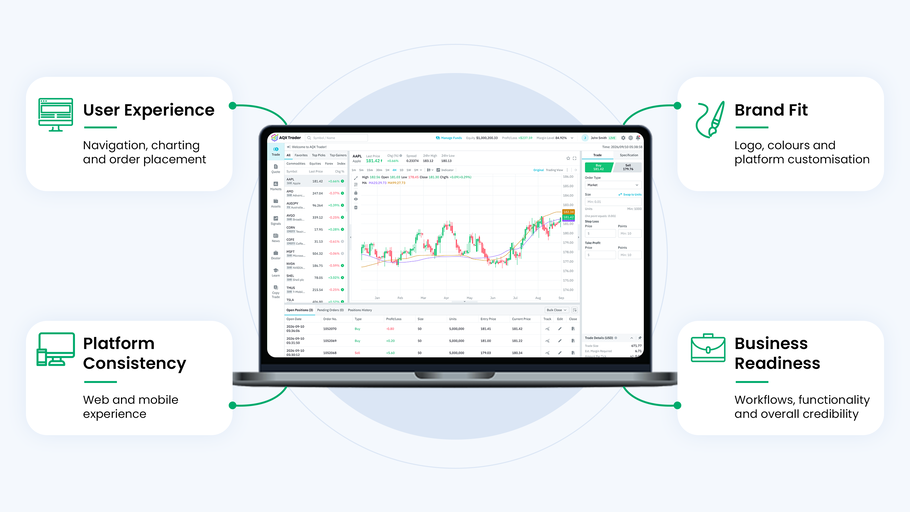
There is a meaningful gap between reading about a platform and using it.
Marketing materials tend to describe the same things: intuitive workflows, advanced charting, multi-device access, fast order entry, white-label flexibility, multi-asset coverage. None of that can be verified from a product page. It can only be tested by sitting inside the platform and trying to do something specific, like finding gold, placing a pending order and setting a stop, all without a manual.
The broker is not simply checking whether a feature exists. A charting package can exist and still be awkward. One-click trading can exist and still be buried two menus deep. What the broker is really testing is whether the features work together as one product, because that is what its future clients will experience. Traders never see the feature list. They only see the platform.
The demo converts an abstract product proposition into something the broker can see, navigate and argue about in a meeting room.
What Brokers Are Really Evaluating Inside a Demo
Feature checklists are the least interesting part of a demo. What brokers are actually assessing falls into three areas, and each one carries a business consequence.
The trader-facing experience
This is where most demo time gets spent, and rightly so. The broker is stepping into the shoes of its future clients: navigating the platform, reading market and account information, discovering instruments, placing and editing orders, working with charts, managing watchlists and positions.
The question being answered is not "does the platform have this feature?" It is "would our traders understand this, and would they keep using it?" Those are different questions, and the second is the one that shows up later as retention, support tickets and deposit behaviour. A platform traders tolerate is not the same as a platform traders stay on.
Product coherence
A platform can have every feature a broker wants and still feel like a collection of disconnected tools. Coherence shows up in small things. Terminology stays consistent from screen to screen. Moving from analysis to execution feels logical rather than jarring. Account information sits where you expect it. Signals and market content feel integrated rather than bolted on. Desktop and mobile clearly belong to the same product.
Brokers notice this within minutes, even when they cannot articulate what they are noticing. It matters commercially because incoherence does not stay a design problem. It becomes confused users, abandoned sessions and support queues. A coherent demo suggests a product that was designed. An incoherent one suggests a product that was assembled.
Provider maturity
The demo also shapes how the broker views the company behind the platform. Broken pages, confusing instructions, unrealistic pricing data or workflows that dead-end all raise the same quiet question: if this is how the provider treats its shop window, what does the rest of the operation look like?
To be fair to providers, a polished demo does not prove the live infrastructure is sound. That takes proper technical evaluation. But the demo is an early signal of how the provider treats detail, and brokers read it that way whether providers intend them to or not.
Demo Quality Can Strengthen or Slow Sales Momentum
By the time a prospect enters a demo, they have already shown real interest. They found the provider, read the material, and decided the platform deserved their time. The demo's commercial job is to keep that momentum.
It often does the opposite. Registration drags on or asks for information nobody wants to give. Access arrives late with no explanation. The account opens empty, with nothing to explore. Features shown in the sales deck cannot actually be tested. The interface looks two versions behind the marketing screenshots. The session ends with no obvious next step.
None of this necessarily reflects the underlying platform. A capable product can sit behind a neglected demo. But the prospect has no way of knowing that, and doubt planted at this stage is expensive. A strong sales call can be quietly undone by twenty frustrating minutes in a demo account. Deals rarely die there, but they slow down there, and a slow deal is an open invitation for a competitor's demo to make a better impression.
The demo should support the interest created by the website, the sales conversation or the referral. It should never hand the sales team a new layer of doubt to work back out of.
A Good Broker Demo Helps Multiple Stakeholders Evaluate the Platform
White-label platform decisions rarely rest with one person, and each stakeholder walks into the demo looking for something different.
Senior management is judging commercial fit and overall credibility. Product teams focus on user experience and feature coverage. Dealing teams work through trading and order-management workflows. Marketing looks at branding and communication options. Technology teams think about integration requirements and how the system behaves. Operations considers account structures and the administrative work of running the platform day to day.
A usable demo gives all of them a shared reference point. Instead of debating a slide deck, stakeholders can point at an actual screen, walk through an actual user journey, and disagree about something concrete. Anyone who has sat through an internal review where six people argued about a brochure knows why that matters.
The practical payoff is speed. Organisations move faster when everyone is evaluating the same thing, and evaluations stall when each department is imagining a different platform. The demo does not only explain the product to one buyer. It gives the whole organisation a shared understanding of what is actually on the table.
White-Label Demo Accounts Help Brokers Picture Their Own Offering
A generic demo shows what the technology provider has built. A stronger white-label demo lets the broker rehearse its own launch, and that shift changes the quality of the entire evaluation.
It matters whether the broker can see its own logo and colours in place, branded banners and announcements, instrument lists relevant to its target markets, sensible demo capital presets, its preferred leverage configurations, the features it intends to enable, and its regional and language requirements. The most useful version of this exercise follows the full journey a future client would take, from registration through to a first trade, in the broker's own commercial context rather than a generic one.
AQX Trader supports this kind of evaluation because demo and live environments are configured and managed independently. Symbol lists, demo capital presets, leverage settings, enabled features, marketing banners, visual identity and the content shown to new users can all be set per environment. In practice, that means a broker's demo can reflect its intended offering instead of somebody's default configuration.
The difference is easy to feel once you have seen both. Reviewing a generic demo tells a broker what the provider can do. Reviewing a branded, configured demo tells a broker what its own offering could look like. Only one of those answers the question the evaluation exists to settle.
A Broker Demo Platform Is Different From a Retail Paper Trading Account
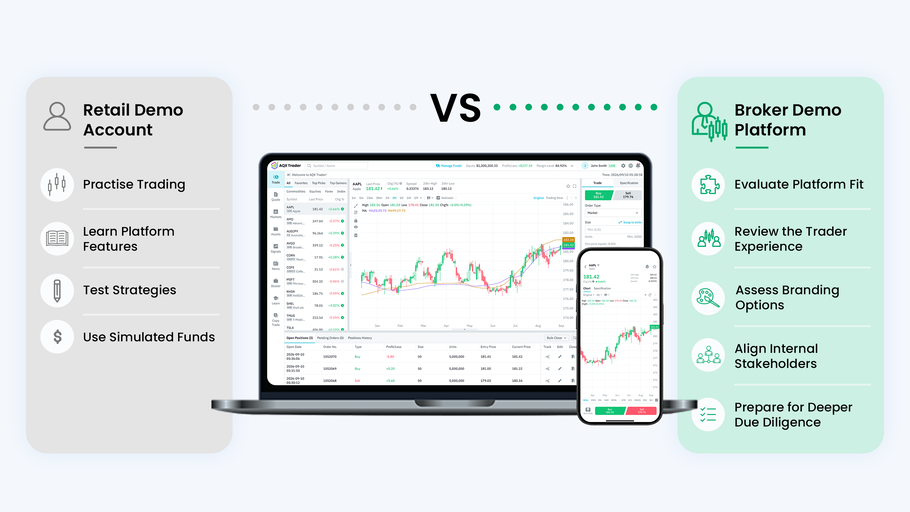
Most content about demo accounts is written for retail traders, so the two use cases are worth separating.
A retail demo or paper trading account exists so an individual can practise trading, learn order types, test strategies and explore a brokerage before depositing, all with simulated funds. It is an education and trust-building tool aimed at one person's trading decisions.
A broker or white-label demo environment serves a business evaluation. The broker uses it to assess the platform as a commercial solution, review the trader-facing experience its clients would receive, explore branding possibilities, bring internal stakeholders into the assessment, identify integration requirements and decide whether the provider deserves deeper due diligence.
Put simply, a retail trader asks "can I practise trading here?" A broker asks "can this platform support the experience we want to deliver?"
A simulated trading platform can serve both purposes, but the evaluation criteria are entirely different. Brokers who approach the demo with a retail mindset end up testing the wrong things and leave with the wrong questions answered.
What Should Brokers Test in a Trading Platform Demo?
A structured pass through the demo tells you far more than casual browsing. Eight areas are worth working through deliberately.
1. Registration and first access. Is the registration process clear? How quickly can users get into the platform? Are next steps obvious, and is important information communicated without the user having to hunt for it? First access is also a preview of what the broker's own clients will experience on day one.
2. Navigation and discoverability. Can users find instruments, charts, account information and orders easily? Is terminology consistent? Does anything important require an unreasonable number of clicks?
3. Order-entry workflows. Place market and pending orders. Test stop-loss and take-profit functions. Try one-click trading and in-chart trading where available. Watch closely how positions are edited and closed, because that is where clumsy design shows itself first.
4. Charting and market analysis. Check chart responsiveness, indicators and drawing tools. Pay attention to how users move from analysis to execution, and whether market information feels integrated with the trading experience or separate from it.
5. Multi-device consistency. Compare the web and mobile experiences directly, side by side if possible. Do layouts and terminology stay familiar? Are key functions available everywhere? Does switching devices mean relearning the platform?
6. Branding and configuration. Ask what branding can be changed, review the banner and communication tools, and establish what the broker can manage itself versus what requires provider support. The answer to that last question shapes operating costs and turnaround times long after launch, so it deserves more attention than it usually gets.
7. Demo realism. Are the instruments and account conditions representative? Is there enough activity to understand the real experience? Are limitations explained honestly, and does the demo reflect the current platform version?
8. The next evaluation stage. Can the provider explain what the public demo does not show? Is a personalised walkthrough available? Can integrations and administration tools be tested separately, and what happens between here and user acceptance testing? A white-label platform evaluation checklist helps structure this stage.
A good demo should answer important questions. It should also help the broker ask better ones.
What a Demo Cannot Prove
This deserves stating plainly, because it protects brokers from over-reading a polished demo and providers from over-selling one.
A controlled demo environment cannot fully validate live execution quality, performance under heavy market activity, production uptime, broker-specific integrations, security controls, regulatory suitability, operational support, liquidity quality, how quickly future configuration changes get made, or how fast problems get resolved after launch.
Those questions require technical reviews, security assessments, integration testing, user acceptance testing and honest reference conversations. A sensible broker uses the demo to build a shortlist and, just as importantly, to sharpen the questions it takes into platform evaluation beyond the demo. The demo is the beginning of due diligence, not the end of it.
Where AQX Trader Fits
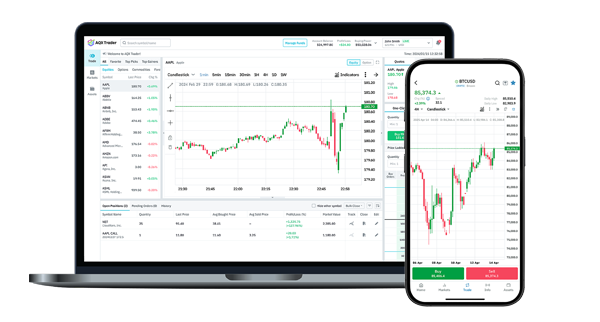
AQX Trader provides a public demo environment for brokers, financial institutions, prop firms and other businesses evaluating a white-label multi-asset trading platform.
The demo is built around the evaluation areas covered above. Brokers can test the trader-facing experience across WebTrader, iOS, Android and mobile web, including the redesigned interfaces introduced in AQX Trader 3.0, which makes multi-device consistency straightforward to judge rather than something to take on trust. Order workflows can be tested properly, with one-click and in-chart trading available alongside integrated charting, so dealing teams can assess execution flows instead of imagining them from screenshots.
Because demo and live environments are configured independently, brokers can also evaluate how symbol lists, demo capital presets, leverage settings and branding would work for their own offering rather than judging everything through a generic setup. For brokers moving past the demo stage, AQX Trader's multi-OMS architecture, third-party integration options and strategy following via Pelican become part of the deeper technical conversation.
The purpose of the AQX Trader demo is not simply to show brokers what the platform looks like. It is to give them a practical starting point for evaluating how the platform could support their brand, their traders and their growth plans.
The Demo Is Where Promises Meet the Product
A demo trading platform affects more than a broker's first impression. It influences whether the broker trusts the product enough to keep going, whether internal stakeholders can evaluate it from a shared reference point, and whether the platform can be imagined as part of the broker's own future offering.
Two things can be true at once. A polished demo is not proof of every production capability, and a poor demo should not be waved away as a minor sales issue. Demo quality reflects how seriously a provider treats the buyer's evaluation process, and brokers are right to read it that way.
The demo is where a provider's promises first meet its product. It costs a broker nothing to find out, early and firsthand, what that meeting looks like.
Evaluate the Platform From a Broker's Perspective
Explore the AQX Trader demo environment and experience its interface, trading workflows and multi-device capabilities firsthand. The demo is public, and a personalised walkthrough is available when you are ready to go deeper. See how the platform could support your brand, users and future trading offering.
FAQ
What is a demo trading platform? A demo trading platform is a simulated environment that allows users to explore trading features and place trades without using real funds. For brokers evaluating white-label technology, it also provides an initial view of the platform's user experience, workflows and configuration possibilities.
How is a broker demo platform different from a retail demo account? A retail demo account is mainly designed for traders who want to practise or test a brokerage before depositing. A broker demo platform is used by businesses to evaluate whether the technology, interface and white-label options are suitable for their own trading offering.
What should brokers test in a trading platform demo? Brokers should test registration, navigation, instrument discovery, charting, order entry, account information, multi-device consistency and the available branding or configuration options. They should also identify which areas require further technical testing beyond the demo.
Should a demo trading platform match the live platform? The demo should accurately represent the core user experience and the current product version. Simulated conditions may still differ from a production environment in areas such as execution, liquidity, integrations and system performance.
Can a white-label demo account show a broker's branding? This depends on the platform provider. Brokers should ask whether logos, colours, banners, instrument lists and account settings can be configured during the evaluation, or shown through a personalised demonstration.
Is a demo enough to choose a white-label trading platform? No. A demo is useful for evaluating the experience and creating a shortlist, but the final decision should also include technical, security, integration, commercial, compliance and support assessments.
Latest News
