
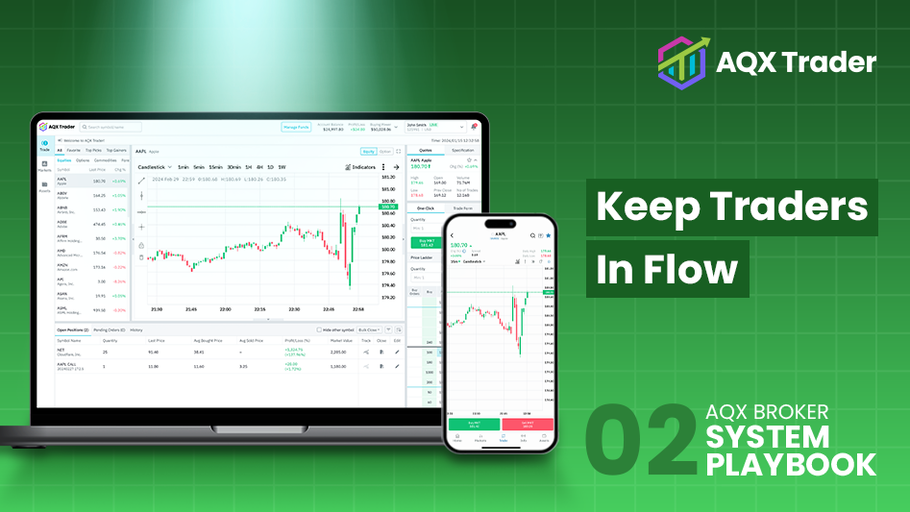
[One repeatable play to lift session continuity and repeat trades with cross-device parity.]
Retention weakens when desktop and mobile feel like different platforms. Traders start on a laptop, switch to a phone at lunch, and check again on the commute. If tools, layouts, and states do not match, the session breaks. Orders get delayed and the habit fades. AQX Broker System Playbook 02 sets a clear approach and includes compact playbook blocks you can paste into procedures.
- Pain: Retention is weak because mobile and desktop feel different.
- AQX Mechanism: Cross-device parity (iOS, Android, WebTrader), session handoff, in-chart trading, one-click trading, push re-engagement.
- Outcome: Higher session continuity, faster execution, more repeat trades.
- Time to execute: Staged in weeks, visible gains within the first release cycle.
- Owner: Product with Ops; Admin approves sensitive toggles.
- Rollback: Previous ticket labels and defaults stored as presets.
The Retention Gap
A trader builds a watchlist on desktop, then opens mobile to see a different layout and unfamiliar ticket fields. Push alerts arrive, but deep-link back to a generic home view. Ticket behavior differs by device. Confidence drops because every switch feels like a new app. The result is lower dwell time and fewer second sessions per day. Support tickets rise. Promotions carry less weight because execution feels uneven.
Why Cross-Device Parity Now?
Multi-asset growth adds more instruments and short reaction windows. APAC traders often operate across time zones and devices. Retention is now a product of continuity. When controls feel the same everywhere, traders act faster and return more often. When they do not, the session stalls.
The AQX Trader Approach in Plain Terms
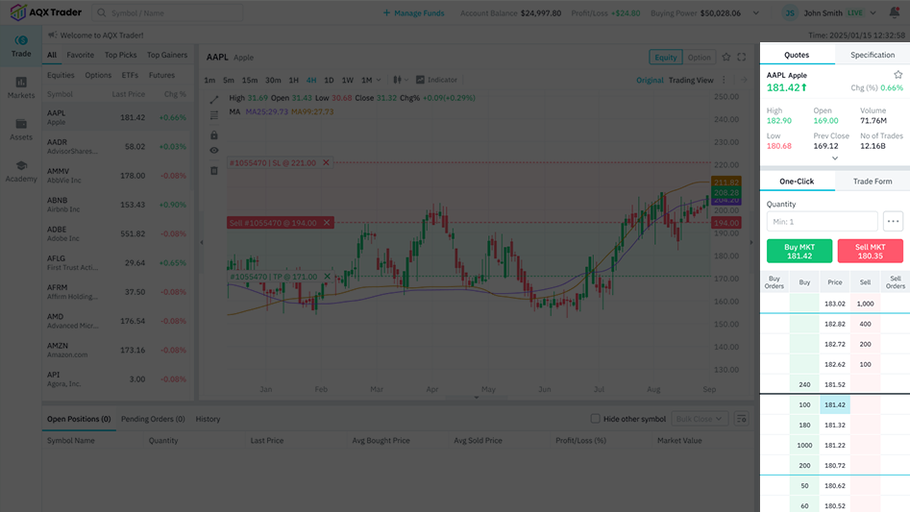
AQX Trader is designed to keep experience familiar from web to iOS to Android while execution stays steady on the broker’s OMS. Parity aligns order tickets, layouts, and hot actions. Session handoff restores the symbol, timeframe, and ticket state. In-chart trading and one-click trading present the same confirmation logic on every device. Push re-engagement uses event-based deep links to return traders to the exact state they left. The platform runs on AWS Cloud for lower latency and predictable rollouts. Multi-OMS integration with FIX and REST keeps routing intact while the user interface evolves. Typical branded demos are ready in about 3 working days. The system supports multiple languages and 24/7 client support.
#1 Cross-Device Parity & Session Handoff
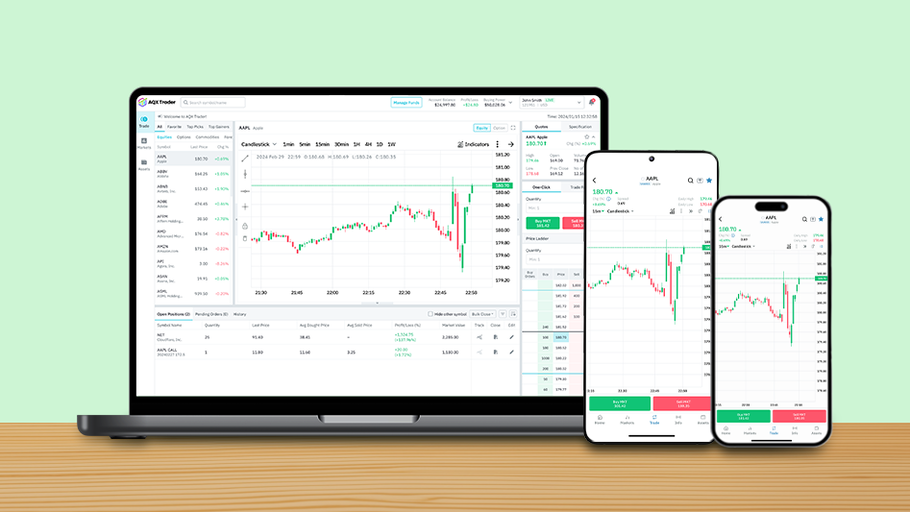 Start by aligning the order ticket fields and labels across WebTrader, iOS, and Android. Keep the default layout consistent: chart with order book and price panel. Mirror quick actions so the same taps and shortcuts work everywhere. Parity reduces relearning and shortens time to order.
The state should travel with the trader. When a session closes on one device, the next device reopens on the same symbol and timeframe, with the ticket in the same state if it was open. A simple “continue where you left off” prompt helps traders resume without searching.
Start by aligning the order ticket fields and labels across WebTrader, iOS, and Android. Keep the default layout consistent: chart with order book and price panel. Mirror quick actions so the same taps and shortcuts work everywhere. Parity reduces relearning and shortens time to order.
The state should travel with the trader. When a session closes on one device, the next device reopens on the same symbol and timeframe, with the ticket in the same state if it was open. A simple “continue where you left off” prompt helps traders resume without searching.
#2 In-chart trading & One-click Trading
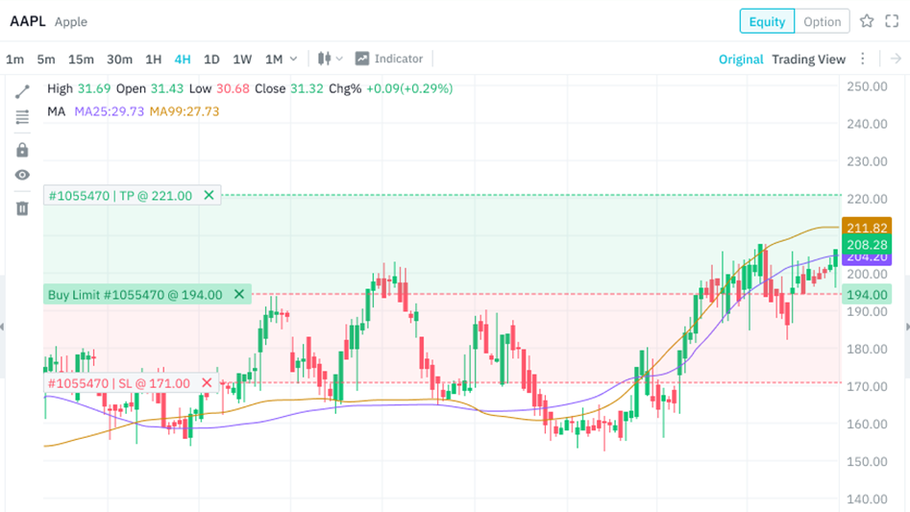 Desktop in-chart trading pairs with quick-entry on mobile. One-click trading sits behind terms of acknowledgement and role approval in the CMS. Keep confirmations and safeguards identical, so speed does not come at the cost of certainty.
#3 Push Re-engagement
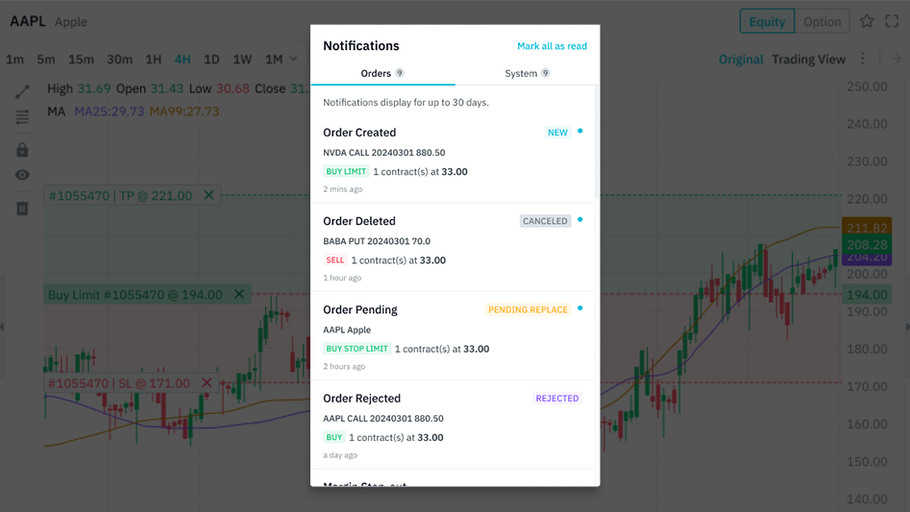 Push should bring traders back to the exact state. Trigger notifications from meaningful events such as price touch, order fill, or alert level hit. Deep-link to the symbol, timeframe, and ticket state. Respect quiet hours and frequency caps to avoid fatigue.
Runbook: Continuity in a Day
Define the parity scope and list the ticket fields to align. Map present differences between WebTrader, iOS, and Android. Standardise labels and order flow with a single reference spec. In CMS, enable one-click trading only after terms are approved. Turn on session handoff and test state persistence across devices. Create push templates with deep links. QA with 3 devices: open on desktop, switch to mobile, complete the order, then confirm parity returning to web. Release to a beta group, then to full users. Track session continuity and time to first order after login.
Roles & Safety
Admin approves one-click trading and release windows. The editor manages copy, push templates, and locale settings. Viewer audits parity checks and session logs. Staging comes before production, with version history and a ready rollback set for ticket labels and defaults.
Proof Where it Counts
 Aquariux won Best White Label Solution at the UF Awards Global 2024 and 2025. AQX Trader supports multi-asset trading across FX, CFD, crypto, indices, and commodities. Desktop and mobile interfaces share execution tools such as in-chart trading, one-click trading, and EA tools. AWS Cloud hosting supports global access with lower latency. Multi-OMS with FIX and REST keeps execution stable while experience improves. Multi-language support and 24/7 client support are standard.
The Final Outcome
Brokers keep traders in flow. Sessions continue across devices with familiar tools. Orders fire faster. Push returns traders to the exact state they left. Retention improves because the experience feels the same everywhere and reacts in time.
Contact us now to see a live walkthrough.